Mici
Turn your iPhone
into a Mac Mic.
An interface with a point of view.
High-quality audio travels securely across your local network — quietly connected, always ready, and easy to control.
A studio-quality microphone, far beyond ordinary budget hardware.
From accurate voice input to clear livestreams and high-fidelity recording, it is ready for the work.
Interface
Speak, and let the violet tell its story.
A carefully designed home screen, Mai grows naturally with your voice.
Thoughtful interaction and design, with HDR
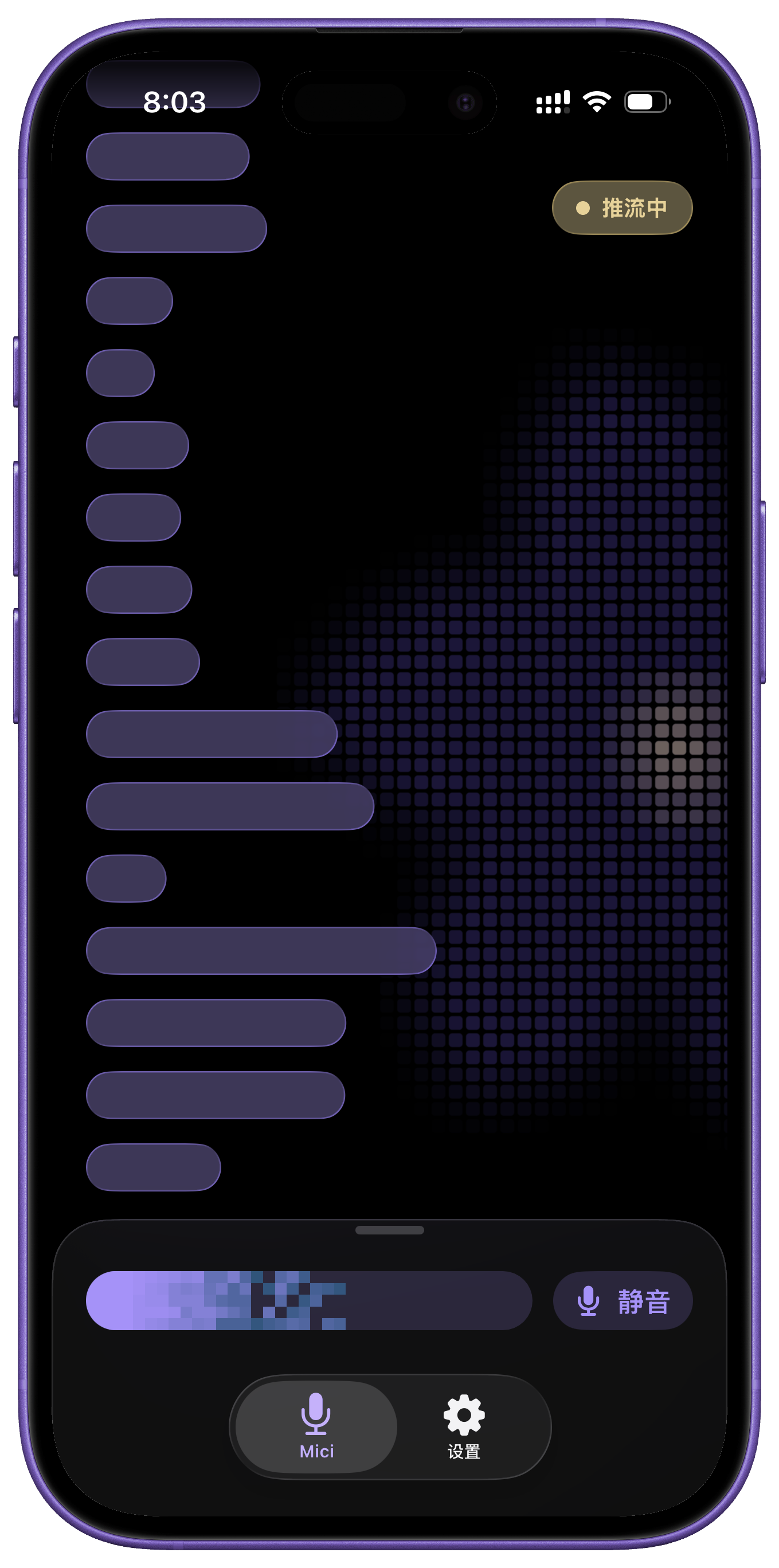
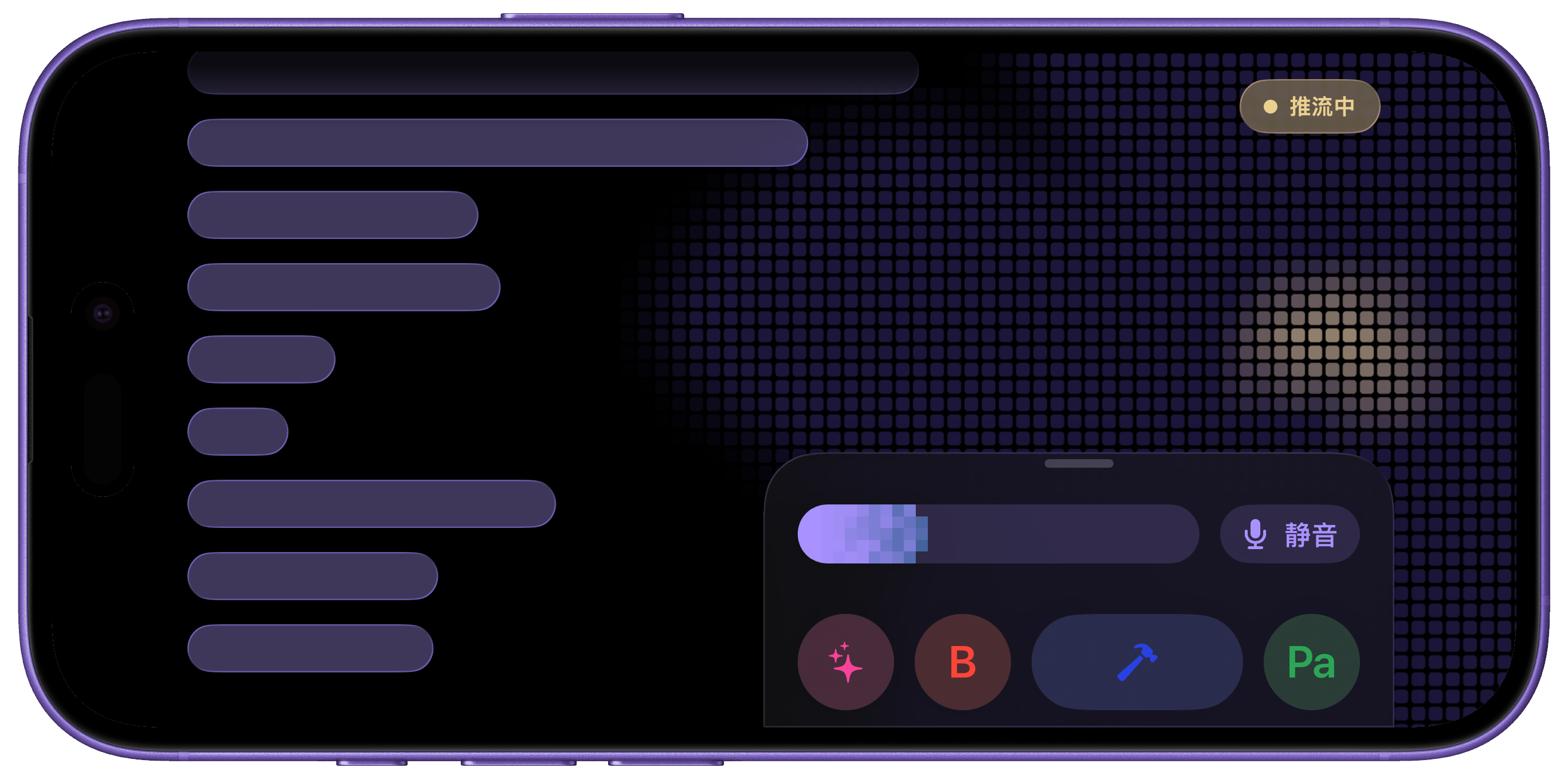
Mai (Mic Activity Imprint) is an on-device microphone activity log that records only start and end timestamps. It does not parse, store, or transmit any audio content.
Streaming
Continuous streaming, quietly ready.
No Continuity Camera friction or interruptions — just a persistent connection, quiet standby, and professional control.
Scan once to pair, discover automatically on the local network, and keep the entire path end-to-end encrypted.
Deeply optimized for the energy architecture of iOS and macOS, so continuous streaming stays cool and composed.
Audio device
System-level
virtual microphone.
Mici registers as a real audio device on Mac, so any app can select it as an input.
Use it directly for meetings, dictation, recording, livestreaming, and video production.
- 44.1 / 48 kHz native dual sample rate
- 16-bit PCM, supporting mono and stereo
Input
MacBook microphone
Mici● Connected
External microphone
Mici registers as a standard input device on macOS via a system-level audio driver with broad app compatibility. Verified to work seamlessly with WeChat Voice Typing, Typeless, Doubao Dictation, Adobe Audition, and other major voice input, meeting, and professional audio tools; availability depends on individual app input source support.
Meter
Live level display.
Brilliant pixel afterglow
bringing every sound back as a trace of the past.
Mac
A one-of-a-kind
circular window.
It hangs on the desktop like a widget, always within reach.
Small and light, it stays with your work and your day.

Imprint
Imprints that grow into
Mai capsules.
Mai Mai records each trace of sound and strings them into capsules of time.
It remembers segments, never content.
Mai (Mic Activity Imprint) is an on-device microphone activity log that records only start and end timestamps. It does not parse, store, or transmit any audio content.
Remote control
Control your Mac from iPhone.
Tap to send a global hotkey; hold to open a chosen app.
A home button and quick drawer keep your Mac workflow at hand.
Hold or tap any button to try it
Lock Screen
Live Activity。
Streaming stays visible on the Lock Screen and Dynamic Island. Tap to stop without unlocking.

Mici
Streaming audio to Mac
More
More features.
System-level virtual microphone
Registered as a standard audio device on Mac, ready to be selected by any app.
High-quality input
44.1 / 48 kHz, 16-bit PCM, mono and stereo — true to the source.
Continuous streaming
Stable output after connection, with low latency that fits naturally into your workflow.
Recording and creation
iPhone microphone quality for voice input, meetings, podcasts, and video production.
Live Activity
Streaming stays on the Lock Screen and Dynamic Island. Stop it with a tap.
Multi-device pairing
Support pairing with multiple Macs independently, switching seamlessly with flexible connectivity.
Landscape layout
Designed for landscape stands and MagSafe docks, with a spacious view and every control close by.
HDR dynamic meter
Meter highlights support HDR for brighter, clearer OLED and XDR visuals.
Quiet automatic reconnect
Recover quietly after a network interruption with exponential backoff.
Privacy
Your voice belongs to you.
Audio travels directly between your paired iPhone and Mac, never leaving the local network.
No account tracking, no cloud relay, and no trace left behind.
Learn more about Mici's privacy promise ›